Digital Menu with AI
Take a photo of your menu and AI turns it into your digital menu, always up to date, ready to share with a link or a QR code.
Updated:
What it is
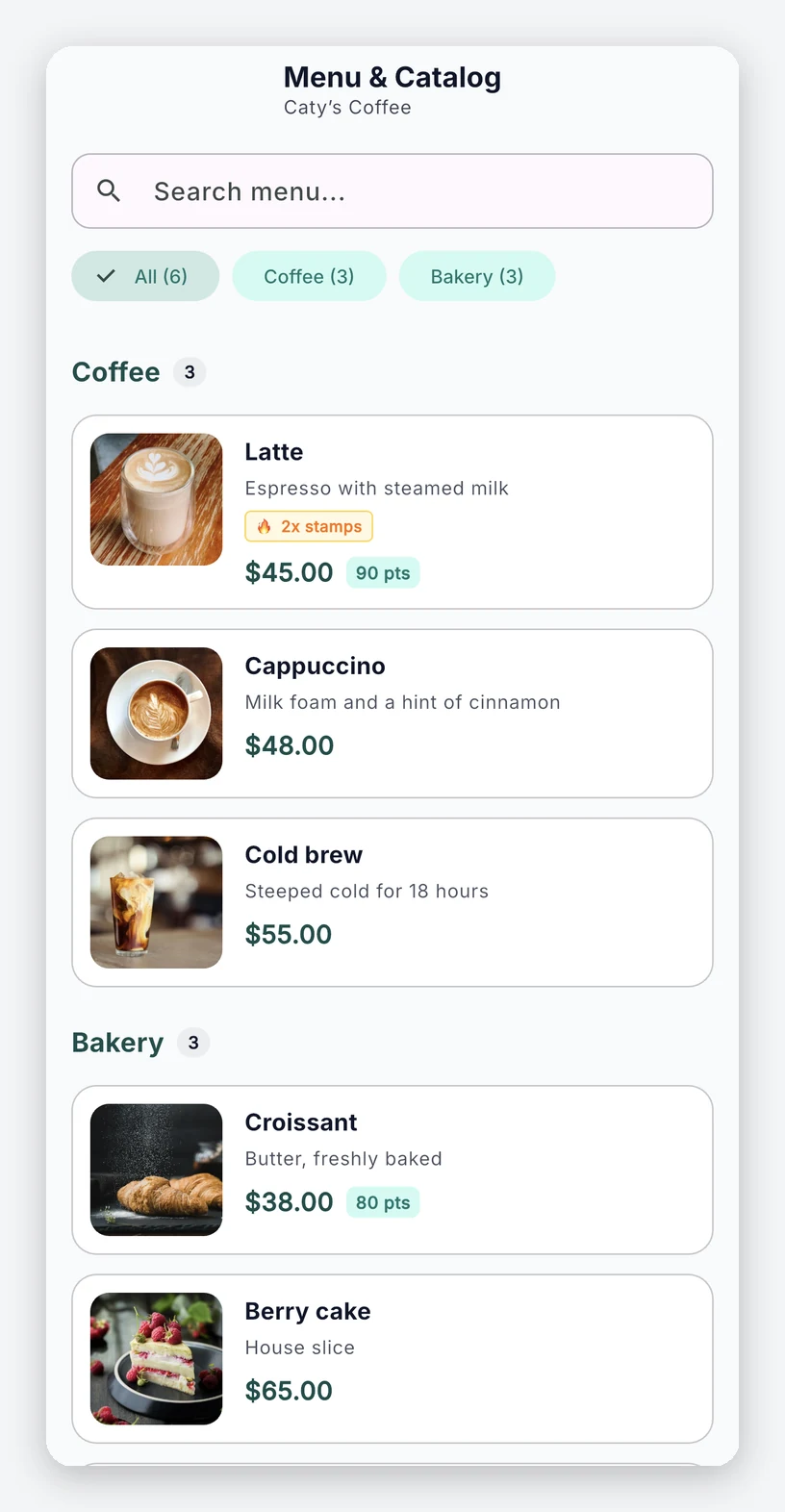
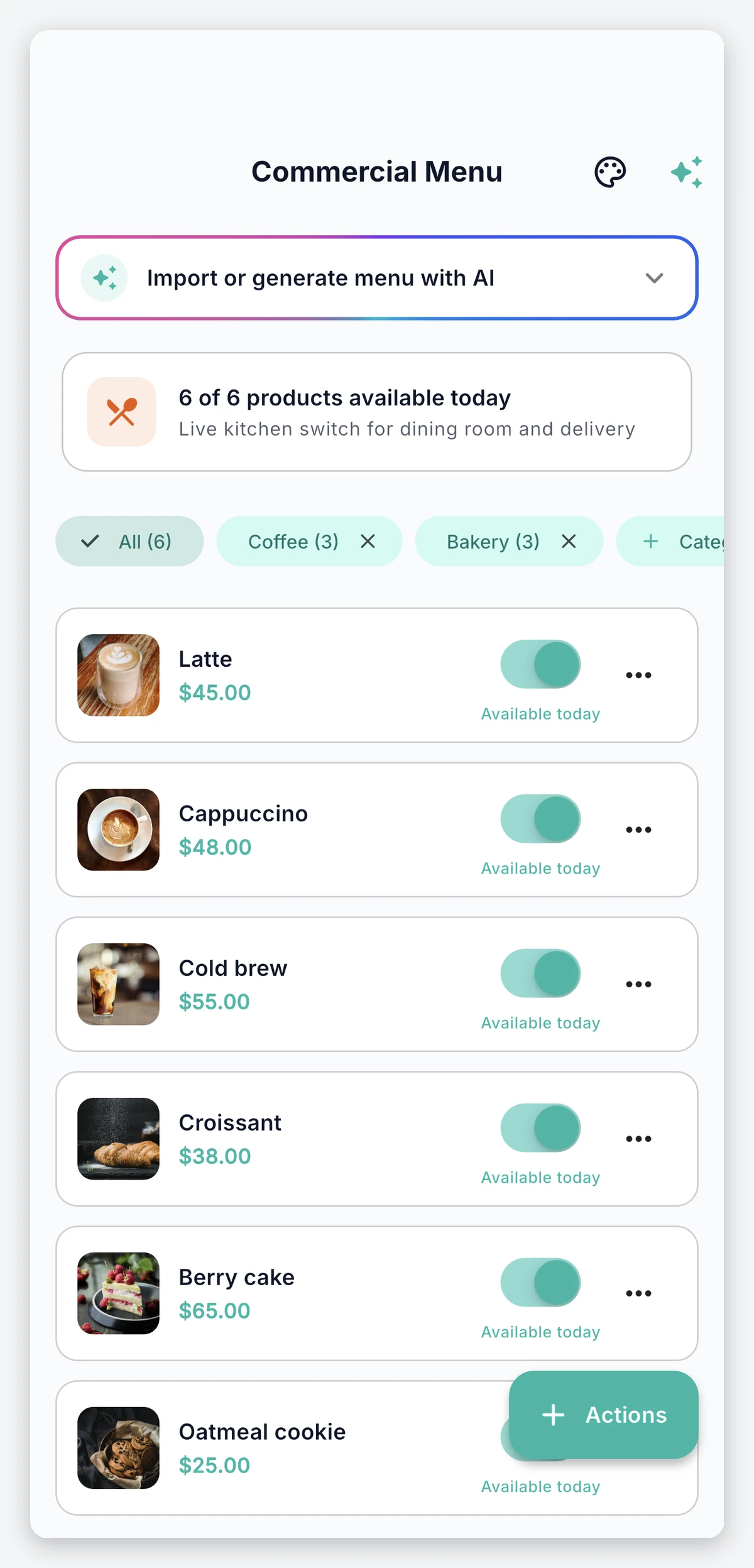
Your full menu inside the app: drinks, dishes, desserts or services, organized by category. Your customers browse it from their phone, with prices, photos and availability always up to date. You don’t have to enter everything by hand: take a photo of your printed menu and the AI builds the menu for you.
How it works
- Scan your menu. In Commercial Menu, tap Import or generate menu with AI › Import menu from a photo and take a photo of your printed menu, your chalkboard or your price list.
- The AI builds a draft. It reads the photo and suggests categories, products and prices.
- Review and add. Fix whatever needs fixing, uncheck anything you don’t want, and tap Add products.
- Design it with AI. With Design visual menu › Design with AI you create the look of your digital menu using your colors. You can save several styles and activate the one you want.
- Share it. Share digital menu gives you a link to send via WhatsApp, post on social media or turn into a QR code for your tables.
Always up to date
- Sold out in one tap: if you run out of something, mark it as sold out and your customers see it right away, without deleting it.
- Options and combos: each product can have variants, such as sizes, and you can put together bundles at a fixed price.
- Promotions on display: products with an active promotion show it on the menu.
- One place for everything: the products on your menu are the same ones your customers redeem with points, so you only edit them once.
Benefits
- No outdated menus: unlike a PDF or a printed menu, your menu never shows prices or products you no longer have.
- Ready in minutes: the AI does the heavy data entry and you just review.
- Easy to share: a single link that stays the same even if you change the design or the name of your business.
Frequently asked questions
What happens if the AI misreads a price?
Nothing is added without your review. In the draft, tap any product to correct it before adding it.
Can I build my menu without a photo?
Yes. You can also add and edit products by hand from Commercial Menu.
Does opening the link enroll my customers in my loyalty program?
No. The link only shows your menu. If the person has the app, it opens there; if not, they see it in their browser with an invitation to install it.