Printed Materials with Your QR Code
Print posters, cards, and table tents with your QR code so your customers can join right from the counter.
Updated:
What it is
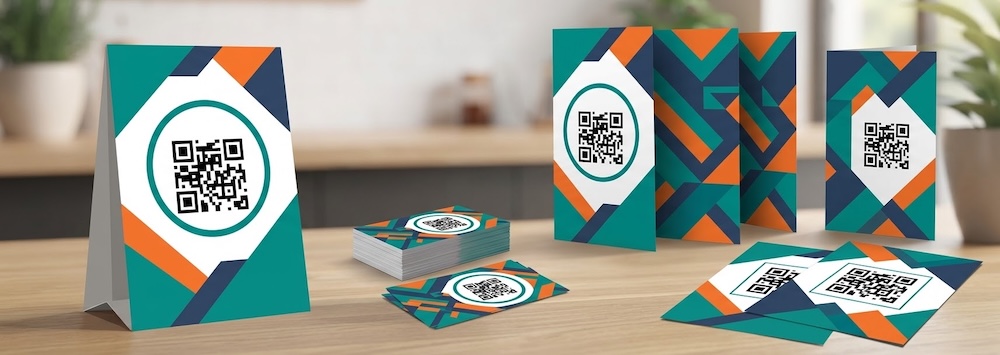
Your customers join your program by scanning your QR code. Printed materials put that QR code where they can see it: on the table, at the register, on the door, or on the order bag. You choose a design, the app adds your logo and your QR code, and you download a print-ready file.
How it works
- Choose a design. In “Print Materials” you’ll see a catalog of templates with your logo and your QR code already in place.
- Review it. Open the preview to see how it looks before you download it.
- Choose the format. Every design comes in three formats: poster, table tent, and cards.
- Download and print. You get a PDF on tabloid-size paper, ready to take to your print shop or print yourself.
The three formats
- Poster: a large piece for a wall or window.
- Table tents: three per sheet, to fold and place on tables or at the register.
- Cards: thirty per sheet, to hand out in person or slip into every order.
Design it with AI
If you want something tailored to you, the printable materials Designer creates the artwork with you. You tell it what you need, see the preview, and ask for changes until you like it. When you’re done, you save it to your printed materials.
Benefits
- More customers in your program: a visible QR code invites people to join without your team having to explain it.
- Your brand: every item carries your logo and your QR code.
- Ready in minutes: no designer needed and no fiddling with files to print.
Frequently asked questions
Is the QR code on the printed materials always the same?
Yes. It’s your business’s QR code, so your materials keep working even if you change your stamp card or your promotions.
Where do I print them?
Wherever you prefer. The PDF comes in tabloid size, a format most print shops can handle.