Stamps for delivery orders
Your customers earn their stamps when they order from you for delivery or remotely, too.
Updated:
What it is
Many customers buy from you without ever setting foot in your business: through a delivery app, over WhatsApp, or with your own delivery service. With stamps for delivery orders, those purchases count toward their loyalty card too. The customer sends their order details from the app, and your team decides whether to approve it.
How it works
-
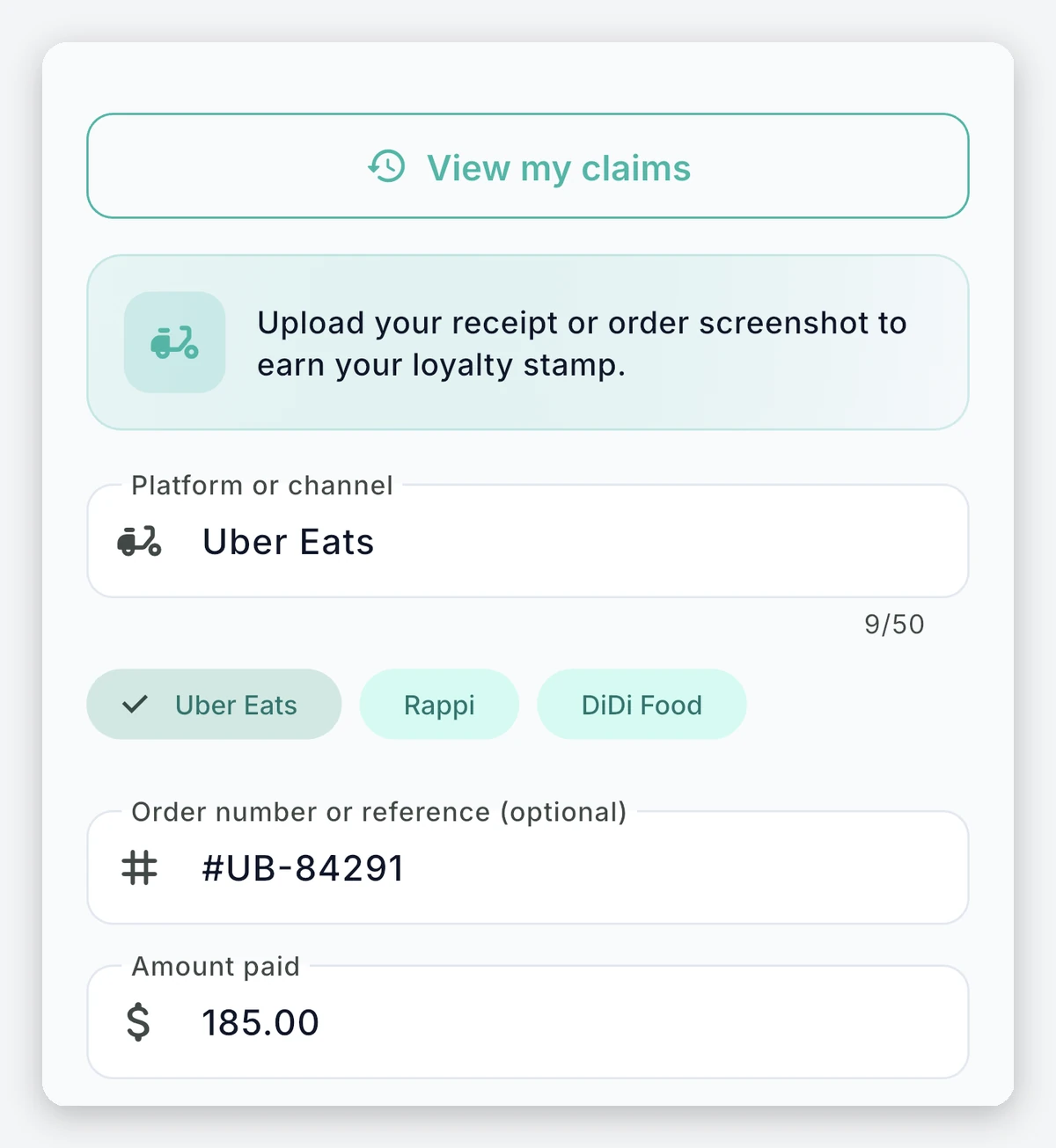
You define your delivery channels. You list the delivery methods your customers use (for example, Uber Eats, Rappi, a local motorbike courier, or your business’s own delivery). If you don’t define any, the customer types in the channel.
-
The customer submits their order. From their loyalty card, they choose “Claim delivery stamp”, enter the channel and the amount paid and, if they want, add the order number, a photo of the receipt, and a note.
-
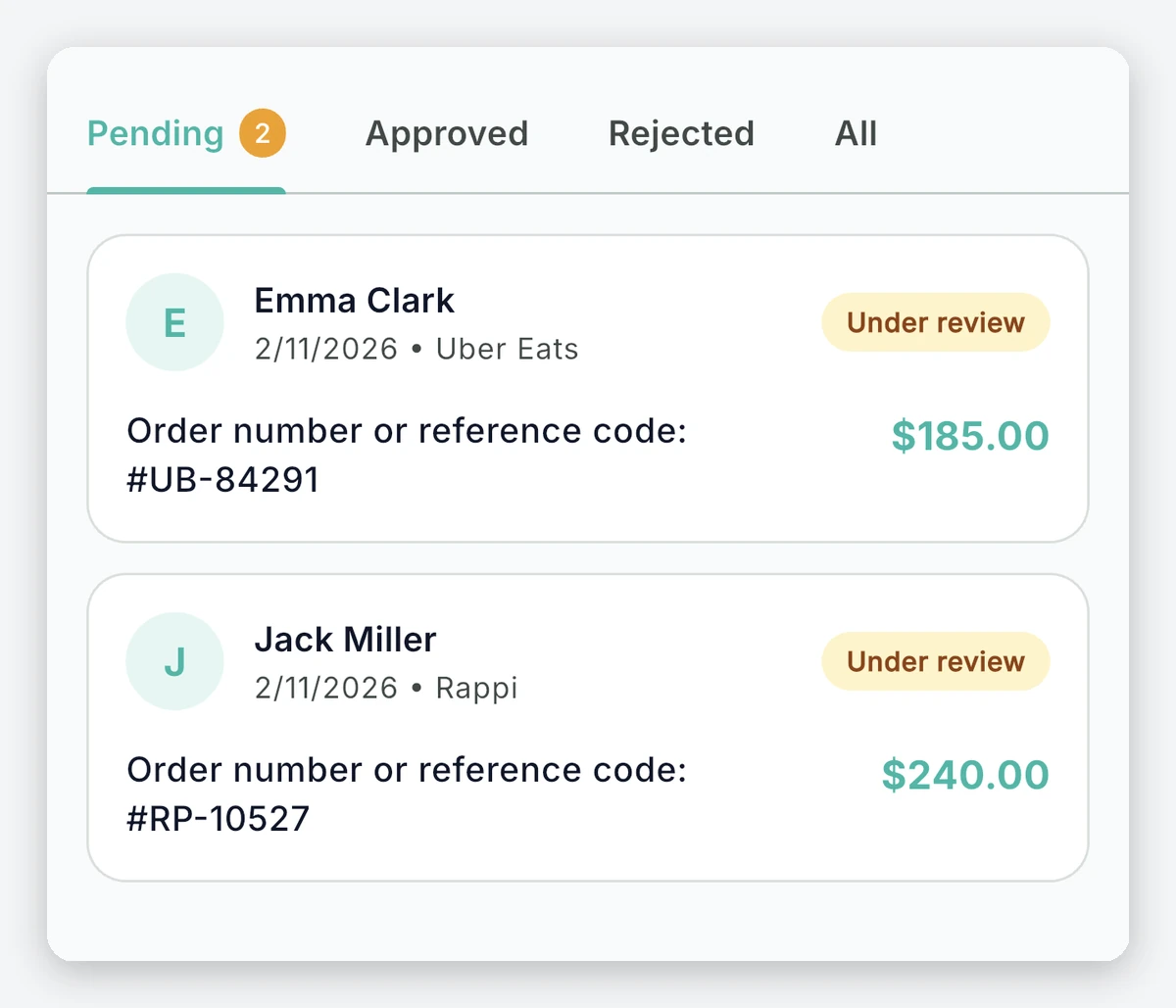
Your team reviews. Requests arrive in an inbox in your dashboard, with the photo of the receipt and the order details.
-
You approve or reject. When approving, you can correct the amount if it doesn’t match the receipt, and the purchase counts like any other. If you reject it, you choose a reason and the customer sees it.
Rules that protect you
- One order number, one stamp: the same order number can’t be claimed twice.
- One request at a time: each customer can have only one pending request per business.
- Your rules still apply: if your card requires a minimum purchase amount, the approved order has to reach it to earn a stamp.
Benefits
- You don’t lose your delivery customers: those who buy from you for delivery also make progress on their card.
- You have the final say: no stamp is added without your team’s approval.
- You have proof: you see the receipt and the order details before deciding.
- The customer always knows where they stand: their history shows each request as under review, approved, or rejected.
Frequently asked questions
Does the customer need an account?
Yes. To submit a request, the customer must log in to the app.
Do my promotions apply to an approved order?
Yes. An approved order is recorded as one more purchase, so your promotions and your program are evaluated just as they would be for an in-store visit.
Can I choose the location for the order?
Yes. If you have several locations, the order can be assigned to the location where it was prepared.